
ZOSI Motion Detection: Zones, Sensitivity, Human Alerts
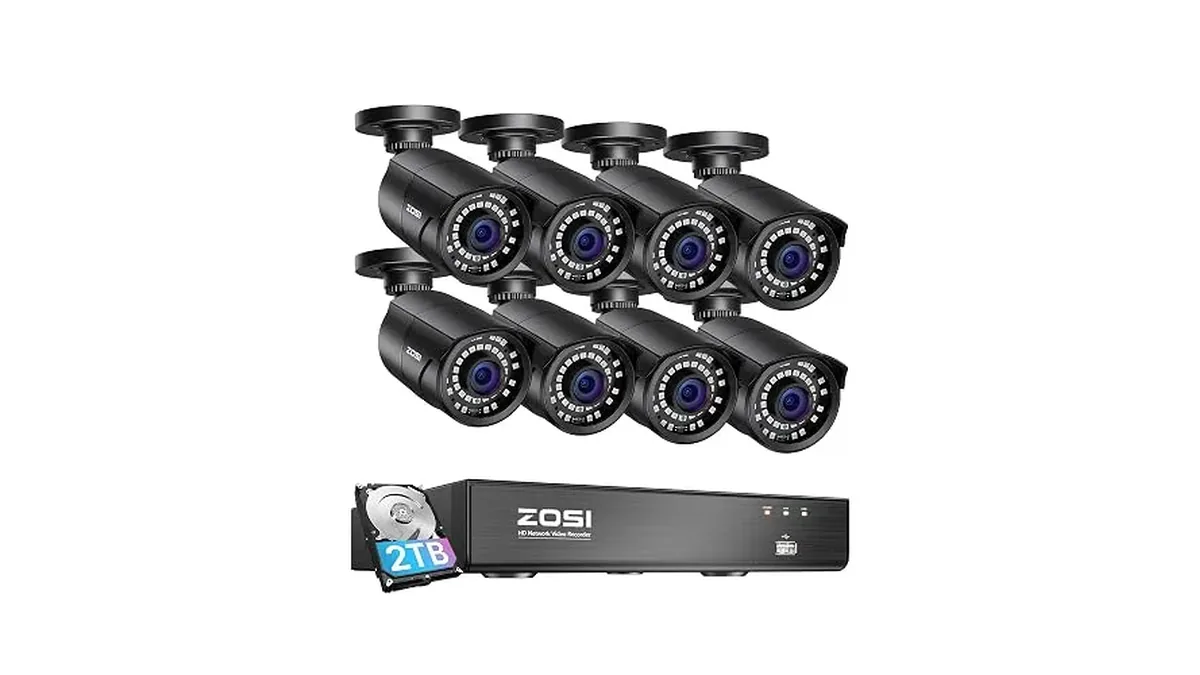
Set ZOSI motion detection on the NVR first: choose whether a camera records continuously, on a schedule, or only when motion is triggered, then draw a detection area for that camera and turn on person and vehicle alerts if you want those flagged separately from general movement. The 8CH 4K PoE, 8×5MP Bullets, 2TB kit is a typical wired example: eight 5MP PoE bullets, a 2TB drive, and AI detection that can separate people and vehicles from animals and other motion.
What the kit already gives you
This system is an 8-channel 4K NVR with eight 5MP bullet cameras and a 2TB surveillance drive, using H.265+ compression. One Ethernet cable carries power and video to each camera. ZOSI states the recorder can expand to 16 channels with a compatible PoE switch. The bullets are listed with up to 120 ft (37 m) of infrared night vision.
On the recorder you can choose continuous, scheduled, motion-triggered, or recycle recording, back up clips over USB, and search by date and time. Alerts come from AI detection that separates people and vehicles from animals and other movement. You set detection areas per camera. Push or email notifications can carry a snapshot. Live view and playback run in the ZOSI Smart app, or on a desktop or tablet with AVSS Client.
The smaller 8CH 4K PoE, 4×5MP, 2TB kit ships four bullets and leaves channels open. How to add a camera to a ZOSI NVR is the placement and pairing walkthrough.
Set recording mode before you chase alerts
Motion settings feel broken when the recorder is already writing everything, or writing nothing. Start here:
- Open the NVR recording menu and note the mode on the camera you care about: continuous, scheduled, motion-triggered, or recycle.
- If you want a clip only when something moves, use motion-triggered recording on that channel. Continuous recording still works with alerts, but it fills the 2TB drive faster.
- Recycle mode overwrites older footage as the drive fills. Know that before you count on a clip from last month.
- After a mode change, walk in front of the camera and confirm a new file appears, then open it. If no file appears, fix recording before you touch notification toggles. ZOSI NVR not recording covers drive and settings checks.
Draw a zone that matches the job
ZOSI lets you set a detection area for each camera. A driveway camera does not need to watch the sidewalk across the street, and a door camera does not need the trees at the edge of the frame.
- Include the path a person or car must take: the walk, the door, the garage apron.
- Exclude moving leaves, flags, and a busy road if those are not the point of the camera.
- Recheck the zone at night. Infrared reach is listed up to 120 ft (37 m) on these bullets, but a zone aimed at a dark, distant fence will still disappoint.
- Use privacy masks on areas you do not want recorded, such as a neighbor’s window or a stretch of your own interior that a camera can see through a door.
Save the zone, then test with a walk-through at the distance you actually care about, not a wave two feet from the lens.
Person and vehicle alerts, and when they feel wrong
Person and vehicle detection is the filter that keeps a swaying branch from lighting up your phone all afternoon. Enable it when you want those two classes called out, and keep a snapshot on the notification if the kit offers that on your channel.
If alerts are too sensitive:
- Shrink the zone so it no longer includes trees, a street, or a pet door.
- Confirm you are filtering for person or vehicle rather than any motion.
- Look at the snapshot. If the clip is a shadow or a headlight, tighten the area rather than turning detection off.
If alerts never arrive:
- Confirm the camera is online and the channel is set to a mode that can create an event.
- Check push and email notification settings in the ZOSI Smart app, and that the phone is allowed to show them.
- Walk the real path at night as well as in daylight. A zone aimed too high or too far will miss a person who stays along a wall.
Animals are called out as something this AI can distinguish from people and vehicles. If a dog crosses the same path as a person, tighten the zone if the dog’s route is the only issue.
Playback that uses the same labels
Once events are tagged, narrow playback to person, vehicle, or motion rather than scrubbing hours of video. Search by date and time first, then filter, and export clips over USB. Remote checks use ZOSI Smart on a phone, or AVSS Client on a desktop or tablet.
For kit comparisons by channel count, camera type, and drive size, use the ZOSI review.
A short setup checklist
- Recording mode set and tested with a walk-through.
- Detection area drawn for the path that matters, with busy edges left out.
- Person and vehicle alerts on if that is the goal; snapshot notifications confirmed.
- Privacy masks on any area that should never be recorded.
- Night walk-through done, not only a daytime wave at the lens.
- Playback filter checked so you can find the event later.
Bottom line
ZOSI motion detection is a per-camera job: pick a recording mode, draw a zone on the path you care about, and use person and vehicle alerts to cut down on tree and traffic noise. The 8×5MP PoE bullet kit includes those tools plus a 2TB drive and 120 ft (37 m) infrared. If a setting feels wrong, test the zone and the recording mode with a walk-through.